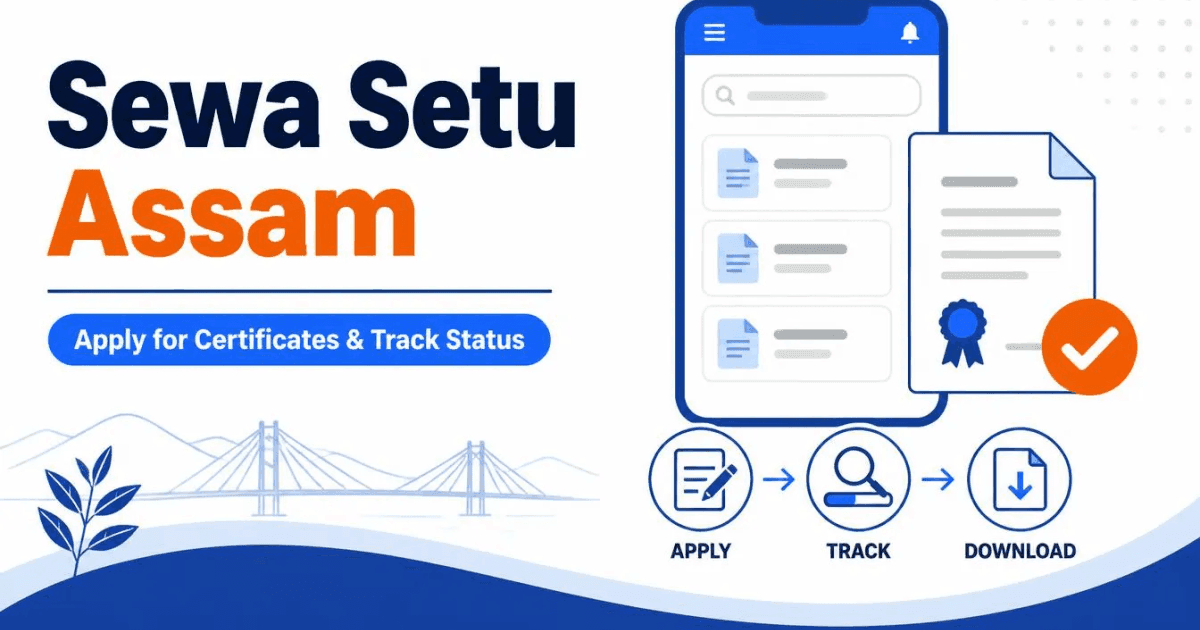
Sewa Setu Assam (also written SewaSetu, at sewasetu.assam.gov.in) is the Government of Assam portal where you apply for the certificates a job or college form asks for: PRC, caste, non-creamy layer, income and more. This guide is for job seekers and students who need one of those certificates and want to know how the portal works: logging in, applying, finding your application reference number, tracking it, downloading the certificate, and what to do when it is late. If you already know which certificate you need and want its full document list, the certificate guides linked below go deeper.
Two things have changed that older guides miss. The old RTPS site (rtps.assam.gov.in) now just redirects to Sewa Setu. And the certificate services that used to sit on e-District now appear on Sewa Setu under an "eDistrict Services" group. So "RTPS Assam", "e-District Assam" and "Sewa Setu" searches all lead to the same place.
Everything here is checked against the Sewa Setu service pages, its FAQ and its appeal page as of 4 October 2026.
What Sewa Setu Assam is
Sewa Setu is run by the AITEC & CSD Society under the Information Technology Department, Government of Assam. It lists 620 citizen services, from caste certificates to land records and trade licences. Most of them are notified under the Assam Right to Public Services (ARTPS) Act, 2012, which is what "RTPS" means. Under that law each notified service has a fixed time limit, and if the office misses it, you have a right to appeal.
You can apply three ways: yourself online, at a Public Facilitation Centre (PFC) or at a Common Service Centre (CSC). The portal also says Sewa Setu services are now available on the UMANG app.
Sewa Setu login: how to register
The Citizen login on Sewa Setu now takes you to ePramaan (MeriPehchaan), the Government of India single sign-on. You sign in there with your mobile number and OTP, and it brings you back to Sewa Setu. If you have never used it, register as a new user, verify your mobile with the OTP, and fill in your name and date of birth.
- Use a mobile number you will keep. Every update on your application, including a request to fix something, comes by SMS and email.
- Add an email address too. It is optional, but it gives you a second copy of every notice.
- Forgot your password? Use "Forgot Password" on the login page and reset it with the OTP.
Certificates job seekers apply for on Sewa Setu
These are the certificates most government job and admission forms in Assam ask for. The time limits and charges are as the Sewa Setu service pages state them. Public holidays are not counted in the time limit.
| Service on Sewa Setu | Time limit | Our guide |
|---|---|---|
| Application for Permanent Residence Certificate (PRC) for Higher Education | 14 days | How to apply for a PRC in Assam |
| Issuance of Scheduled Caste (SC) Certificate | 30 working days | How to get a caste certificate in Assam |
| Issuance of Scheduled Tribe Certificate: ST(P), ST(H) | 30 working days | |
| Issuance of Backward Classes (OBC/MOBC) Certificate | 30 working days | |
| Issuance of Non Creamy Layer Certificate | 30 days | Needs your OBC/MOBC certificate first |
| Application for Income Certificate | Shown on the service page | Asked for by many scholarships |
| Registration of Employment Seeker in Employment Exchange | Shown on the service page | Employment Exchange registration |
Notice that SC, ST and OBC/MOBC are now three separate services, not one caste certificate form with a dropdown. SC and OBC/MOBC are under the Social Justice and Empowerment Department, and ST under Tribal Affairs (Plain). Pick the one that matches your category.
The EWS certificate is a special case. When we checked Sewa Setu's full list of 620 citizen services, there was no EWS (Income and Asset) service on it, even though many websites say there is. The certificate is issued by the Revenue Circle Officer, so see our EWS certificate guide and ask at your circle office if you cannot find the service online.
What it costs
Caste, non-creamy layer and income certificates carry a statutory charge of Rs 30 and a convenience fee of Rs 10. If you go through a PFC or CSC, add a Rs 30 service charge, Rs 10 a page for printing and Rs 5 a page for scanning. The PRC page lists only the PFC/CSC charges and the Rs 10 convenience fee. Anyone asking for more than this is not charging an official fee.
How to apply on Sewa Setu Assam
- Open the service page from eDistrict Services on Sewa Setu, or search for it by name.
- Read the "Requirements" tab before you click "Apply Now". It lists every document the office will check.
- Log in, fill the form, and upload your documents.
- Tick the Auto Appeal declaration if the form offers it. More on this below. It costs nothing and saves you a step later.
- Pay the charges online, where the service has them, and submit.
- Save the acknowledgement. It has your application reference number, the date you applied and the date by which the service is due.
Scan your documents before you start, so the session does not time out while you hunt for a paper. If a file is too large to upload, compress the PDF on your phone first, and use the passport photo tool to get your photograph to size.
RTPS Assam track status
To track a Sewa Setu application, open Track Service Status and enter the application reference number from your acknowledgement. You do not need to log in for this. You can also check status at a PFC or CSC with the same number.
Read the SMS and emails that come in while your application is pending. If the office finds a mismatch in your documents, it sends you a query. You then correct the application online, or, if the portal tells you to, apply afresh. An application waiting on a query you never answered just sits there.
Applied on the old eDistrict Assam portal?
If you applied on e-District before the move, its site at edistrict.assam.gov.in is still up, with its own Application Status box and a "View Approved Certificate" search by certificate number.
Download your certificate from Sewa Setu Assam
When the service is complete you get an SMS and email. Log in to Sewa Setu and download the certificate from your account. For SC, ST and OBC/MOBC certificates, the service page also asks you to respond to the completion SMS or email, so do that when it arrives.
Keep the downloaded PDF, not a screenshot. Job portals ask you to upload the certificate itself, and a forwarded screenshot is often too blurry to read. Save it in your phone and in your email.
When the certificate is late and your deadline is close
This is the situation most people search for. Here is what the law gives you, in the order you can use it.
- Check status first. A pending query from the office is the commonest reason for a delay, and it is one you can fix today.
- First appeal. If the time limit has passed and the service has not come, or your application was rejected, you can file a first appeal within 30 days. The appellate authority can accept it up to 60 days if you had good reason to be late. File it online at Raise an Appeal or on paper to the First Appellate Authority. Appeals are free.
- Auto Appeal. If you ticked it while applying, Sewa Setu files the first appeal for you 30 days after the service was due.
- Second appeal. If the First Appellate Authority does not act within 30 days or settle it within 45, it moves up automatically to the Second Appellate Authority, the administrative head of the department. You can also file it yourself if you disagree with the first decision.
- Third appeal. After that, the Assam State Commission for Right to Public Services. It can fine the officer responsible Rs 250 a day of delay, up to Rs 25,000.
Be honest with yourself about timing. An appeal makes the office act, but it will not move a job application deadline. If a notice closes in a week and you have not applied for your certificate yet, apply today and read the notice for what it accepts. Some notices set a cut-off date by which the certificate must be issued, so a certificate dated after it may not count.
For problems that are not about a delay, such as a portal error or wrong details, lodge a grievance at Sewa Setu Grievance.
Sewa Setu Assam helpline number
The contact page lists the toll-free helpline 1800-345-3574, 8 am to 8 pm every day, and the email sewasetu.queries@gmail.com. As of 4 October 2026, a notice on the Sewa Setu homepage says the helpline is temporarily unavailable and asks you to email instead. That Gmail address is the one Sewa Setu itself publishes. Use it, but never send your documents or OTP to any other address. Our list of official Assam government websites helps you tell the real portals from copies. Fresh vacancies that will ask for these certificates are posted under Jobs.