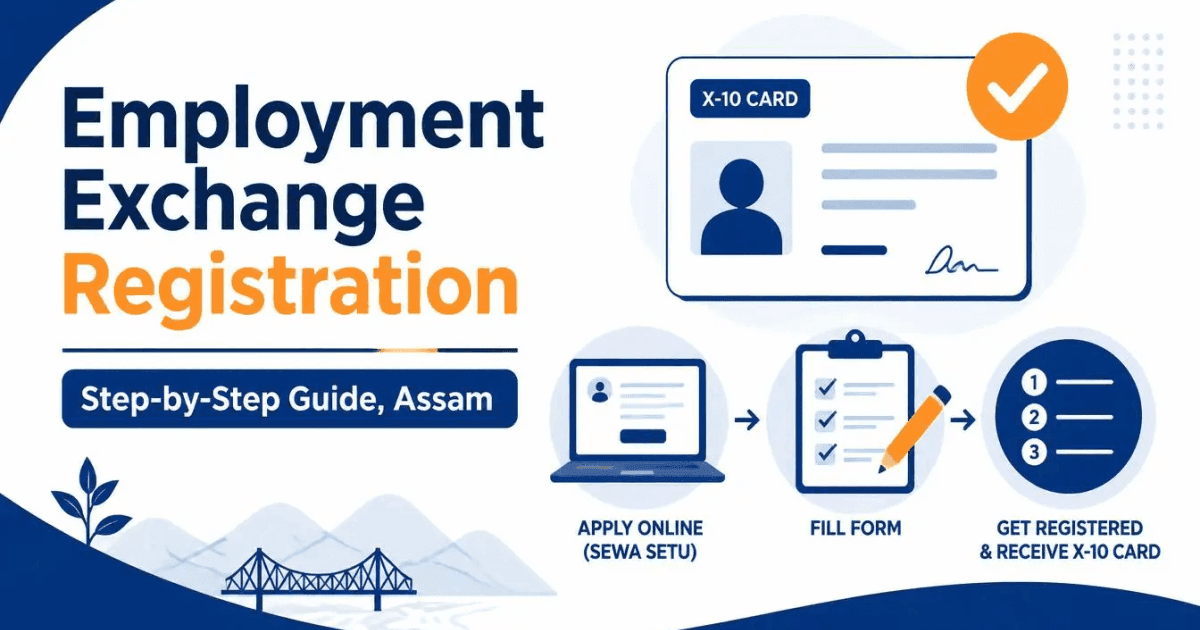
An Employment Exchange registration is one of the first things a job seeker in Assam needs. Many state government job notices ask for your Employment Exchange registration number on the application form, and some recruitment rules give a little weight to how long your name has been on the Live Register. The good news: registration is free, and for most people it is now done fully online through Sewa Setu, the Assam government's Right to Public Services portal.
This guide explains Employment Exchange registration in Assam in plain steps — who can register, the documents to keep ready, how to fill and submit the form online, the difference between the Aadhaar and non-Aadhaar routes, the fees, and how to renew your registration when it is due. It follows the official service page and user manual from the Directorate of Employment and Craftsmen Training, under the Skill, Employment and Entrepreneurship Department, Government of Assam.
Who can register at an Employment Exchange in Assam
You can register at an Employment Exchange in Assam if you are:
- A citizen of India and a permanent resident of Assam, and
- At least 14 years old.
There is no upper age limit. If you are under 18, a parent or legal guardian has to sign an undertaking that gives consent for the registration and for your personal details to be processed.
A few rules to know before you start:
- You can register at only one Employment Exchange — the one for the district where you are a permanent resident.
- If you are already in a permanent or temporary central or state government job and want a better one, you can register only after your current employer gives you a No Objection Certificate (NOC).
Need to check your age on the cut-off date a job notice uses? The age calculator works it out from your date of birth. To see whether a vacancy's age and qualification rules fit you, try the eligibility checker.
Aadhaar route or non-Aadhaar route
There are two ways to register. Which one you use is not a choice — it depends on your Aadhaar.
Aadhaar-based registration (online, no office visit)
This is the normal route. If your Aadhaar has a permanent address inside Assam, you can complete the whole registration online. Your Aadhaar is checked with an OTP sent to its linked mobile number, the system confirms the address is in Assam, and once your uploaded documents are accepted the registration card is generated and emailed to you. You do not visit the Employment Exchange at all.
Non-Aadhaar-based registration (with a document check in person)
This route is only for people whose Aadhaar is blocked because of an NRC-related issue. You fill the same online form, but instead of instant Aadhaar verification you are given a date and time to visit your Employment Exchange with all your original documents. An officer checks the originals, and if everything is in order the X-10 card is issued and emailed to you afterwards. If your Aadhaar is blocked, the department advises visiting your nearest Employment Exchange before you start.
Documents you need for Employment Exchange registration
Scan or photograph every document before you begin. The portal does not hold a half-finished form for long, and stopping to hunt for a certificate is the main reason a session times out. Here is the full list.
| Document | Accepted proof | Required? |
|---|---|---|
| Age proof | Birth certificate, HSLC admit card, or school certificate — any one | Yes |
| Proof of residence | Driving licence, passport, certified copy of the electoral roll or EPIC, or a copy of the Chitha / Jamabandi — of yours or a parent's. With an Assam Aadhaar, the Aadhaar itself is accepted for the online route. | Yes |
| Educational certificates | Every pass certificate and mark sheet, scanned in order into a single PDF | Yes |
| Recent passport-size photograph | A plain-background colour photo | Yes |
| Signature | A scan of your signature on white paper | Yes |
| Caste certificate | For SC, ST, OBC, MOBC or EWS applicants | If claimed |
| Non-Creamy Layer certificate | For OBC / MOBC applicants claiming the benefit | If claimed |
| Disability certificate | Issued by the competent medical authority | If PwD |
| Ex-servicemen certificate | Discharge certificate | If applicable |
| Employment proof and NOC | Current appointment proof, and the employer's No Objection Certificate | If employed |
| Additional qualification certificates | Computer diploma, skill training, and similar | Optional |
| Experience certificate | From a former employer | Optional |
| Guardian's undertaking | Parent or legal guardian's consent | If under 18 |
Every upload has a size limit. If a scan is too big, shrink it with the compress PDF tool; a photo over the limit can be brought down with resize image. Both run in your browser, so your documents are never uploaded to us. If you need a proper passport-size photo with a plain background, the passport photo tool makes one. If you do not yet have the caste, residence or income certificate a form asks for, see how to apply for a caste certificate, a PRC or an EWS certificate in Assam.
How to apply for Employment Exchange registration online
The steps below are for the Aadhaar route on Sewa Setu. The non-Aadhaar route is the same form, with a document check in person at the end.
Step 1: Create a Sewa Setu account and sign in
Go to sewasetu.assam.gov.in and create an account if you do not have one, using a working mobile number and email address. Every update about your application — the acknowledgement, the verification slot, the final card — goes to that email, so use one you check.
Step 2: Find the service
After signing in, open View all available services from the left menu and pick Registration of Employment Seeker in Employment Exchange. No computer? A Public Facilitation Centre (PFC) or Common Service Centre (CSC) can apply for you for a small fee, listed below.
Step 3: Read the guidelines
The first screen is the department's guidelines. Read them — the eligibility and renewal rules are there in full, and a couple of easy-to-miss points (one exchange per district, the NOC rule) are spelled out.
Step 4: Enter your Aadhaar details
Type your Aadhaar number and your full name exactly as printed on the Aadhaar card. A mismatch here is the most common reason verification fails later.
Step 5: Fill the application form
The form has several sections. Fields marked with a red asterisk are compulsory.
- Applicant and personal details — name, date of birth, gender, parentage, contact number and email.
- Physical attributes — height, and whether you are a person with a disability, with the category if so.
- Education and training — every qualification in order, oldest first, with the board or university, year and marks.
- Other qualifications and work experience — computer courses, skill training and past jobs. Leave blank if you have none.
- Permanent address and office of jurisdiction — type the address exactly as it appears on your residence proof. This decides which Employment Exchange gets your application.
- Job preference, key skills and languages known.
- Employment Exchange — pick the exchange for your district. On the non-Aadhaar route you also book a slot here for the document check.
Step 6: Agree to the declaration and submit
Read the terms and conditions, tick I agree, upload your signature and submit. On the Aadhaar route an OTP goes to your Aadhaar-linked mobile number — enter it and click Validate. If the OTP is right and your Aadhaar address is in Assam, verification passes and you move on.
Step 7: Check the application draft
The portal shows a draft of everything you entered. Read it line by line. Fix any mistake now — it is much harder after you submit. When it looks right, click Attach Annexure.
Step 8: Upload the documents
Attach each document under the correct heading. Proof of residence, age proof and the educational qualification PDF are compulsory; the rest depend on what you have claimed. Put all your mark sheets and pass certificates into one PDF, in order, before you upload.
Step 9: Submit the final application
Review the final draft and submit. On the Aadhaar route the system creates your registration certificate straight away. On the non-Aadhaar route you get an acknowledgement receipt with the date and time to bring your originals to the Employment Exchange.
Step 10: Get your X-10 card
The registration card is the Employment Exchange Card, form X-10. It shows your registration number, the exchange you are registered at, and the month your registration is due for renewal. It is emailed to you, and you can also download it from the portal under View Status of Application → Track application status. The department's time limit for the service is 15 days.
Employment Exchange registration fees in Assam
There is no government fee to register. Charges apply only if you use a PFC or CSC:
| Item | Charge |
|---|---|
| Statutory / government charge | Nil |
| Service charge at a PFC or CSC | ₹30 |
| Printing at a PFC or CSC | ₹10 per page |
| Scanning at a PFC or CSC | ₹5 per page |
| Convenience fee | ₹10 |
Register yourself online and you pay nothing at all.
How to renew your Employment Exchange registration
Registration is not permanent. You have to renew it once every three years, in the due month printed on your X-10 card. You get a grace period of three months after that month.
Miss the due month and the grace period, and your name is removed from the Live Register and the registration is cancelled. The rule is strict: no renewal is accepted once the due month and grace period have passed. If that happens, you have to register again from the start — so put the renewal month in your calendar.
To renew, sign in to Sewa Setu, open the renewal service, pull up your record using your registration number and date of registration, and submit. On the Aadhaar route the system extends the date and issues a renewed certificate automatically.
Re-registration: paper cards, transfers and updates
The Re-registration service on the portal covers situations beyond a plain renewal:
- Digitising an old paper card — if your paper-based registration card has expired, use re-registration with "Already Registered" set to "Offline" and the type set to digitise or renew from a paper card.
- Adding a new qualification — a qualification upgrade on a card that has not expired.
- Inter-district transfer — if you have moved and your permanent address is now in another district, this shifts your registration to that district's exchange. You will need proof of the new address.
- Updating your mobile number, email or profile.
What happens after you register
Being on the Live Register does not mean the Employment Exchange finds you a job. What it gives you is a registration number that most Assam government application forms ask for, a record of how long you have been registered, and the occasional call letter when the exchange sponsors candidates for a vacancy or a job fair. Keep the X-10 card safe and renew it on time.
With your registration number in hand, you are ready to apply. Browse the latest Assam government job posts, check admit cards and results, use the official websites for Assam government jobs to confirm the portal a notice names, and grab the common forms — including the Standard Form of Application — from the downloads page. All the how-to guides are on the guides page, and everything for finding and applying to a job sits together on Resources. If you are also making a CV for private employers, the resume builder makes a plain one-page version.